Replacing a UPS Battery Yourself: Signs of Wear, Service Life and the Hot-Swap Procedure
How to spot a worn UPS battery, the real service life at Thai temperatures, how to find the RBC code from an APC model, and the steps for swapping the battery yourself, hot and safely
Updated 2026-08-28
Signs that a UPS battery is worn
- The UPS alarms or lights up Replace Battery — most units detect this from an abnormal rise in the battery's internal resistance, which is the most accurate signal there is
- Runtime has dropped sharply, for example from 15–20 minutes down to under 5 minutes at the same load
- The UPS drops the load the moment mains power fails, with no backup at all, which means the battery can no longer deliver current or is very badly worn
- A battery test run from the software returns Fail/Weak — most enterprise UPS units have an automatic battery test (Self-Test) every 2–4 weeks; turn it on and review the history
Real service life at Thai temperatures
The lead-acid (SLA/VRLA) batteries used in ordinary UPS units are rated by their makers for 3–5 years at a standard room temperature of 25 °C. In Thai server rooms and IT rooms, which usually run hotter than that, it is worth knowing that:
- Every 10 °C by which the average temperature around the battery rises above the 25 °C standard roughly halves its service life, which is a general rule for lead-acid batteries
- In a room with no air conditioning, or where it is often off, the temperature around the UPS cabinet can sit at 30–35 °C continuously, and the battery then wears out markedly faster than the spec suggests, leaving as little as 2–3 years of real service
- For rooms without tight temperature control we suggest setting an inspection and replacement cycle of every 3 years, rather than waiting out the full 5 years in the spec
How to find the RBC code from an APC model
APC labels the replacement battery pack for each UPS model with an RBC (Replacement Battery Cartridge) code. To find the code that matches your unit:
- Read the label on the back or underside of the UPS — it gives the model, for example Smart-UPS 1500VA or Back-UPS ES 700VA, and some models print the RBC code directly
- Match the model against the manufacturer's table — a Back-UPS ES 700 usually takes RBC17, and a Smart-UPS 1500VA usually takes RBC7. Always confirm from the model number, because closely related models can take different RBC numbers
- Check the UPS management software (PowerChute, for example), some versions of which show the recommended battery code on the device information page
- If you are unsure, send us the model on LINE with a photo of the label on the back, and we will confirm the matching RBC code for free before you order
The Hot-Swap replacement procedure
Most enterprise UPS units (APC Smart-UPS, for example) are designed so the battery can be changed without powering the unit down or cutting power to the connected load:
- Check the unit's status before you start — mains power should be normal (not during an outage), so the load is never left unpowered during the swap
- Open the battery compartment cover as described in the manual for your model; it is usually on the front or the underside, held by a few screws or locking clips
- Disconnect the old battery by pulling on the connector, not on the wires, and note the positive and negative positions before you unplug
- Slide the old battery pack out of the tray, mindful of the weight (lead-acid batteries are quite heavy, especially an RBC7 pack, which holds 2 cells)
- Fit the new pack into the tray the same way round as the old one, then push the connector home firmly, following the polarity you noted
- Close the battery compartment, then check the status lights on the unit read normally, with no battery warning left lit
- Run a battery test (Self-Test) from the button on the unit or from the management software, to confirm the system has detected the new pack correctly
The whole job should take no more than 5–10 minutes per unit, and the connected load is never cut off during the procedure as long as mains power stays normal.
Disposing of the old battery properly
A lead-acid battery counts as hazardous waste, containing lead and sulphuric acid. Never put one in with general waste or burn it yourself. The correct routes are:
- Return it to a shop or dealer that buys used batteries, which usually pay by the weight of lead
- Take it to the hazardous-waste collection point run by your local authority (municipality or sub-district administration) that accepts lead-acid batteries specifically
- Tell us on LINE when you order the new battery; in many areas we take the old one back on delivery, so that it enters a proper recycling process
Frequently asked questions
- My UPS beeps rapidly all the time. What does that mean?
- Usually it means the battery is worn or has already failed, especially if it beeps even while mains power is normal. Open the UPS menu or its management software and check the battery status (Battery Status / Replace Battery). If it is warning you to replace, do it soon, because the UPS can no longer hold its full backup capacity.
- Does replacing the battery myself void the warranty on the UPS itself?
- Generally not, because most UPS manufacturers design the battery to be hot-swapped by the owner anyway (the battery tray is separate from the main board). As long as you do not open other parts of the unit or damage the board, the warranty on the unit stays in force as normal.
- Why does a newly bought battery not reach full capacity as soon as it is in use?
- A lead-acid battery has to go through at least one full charge cycle (normally the first 24–48 hours after installation) before its capacity comes up to spec. Runtime may be a little shorter than normal at first, which is expected, not a faulty battery.
- Can I throw the old battery out at home or at the office?
- It should not go in with general waste, because it is a lead-acid battery containing hazardous chemicals. Take it to a collection point that buys or accepts lead-acid batteries specifically, or tell us on LINE so we can take the old battery back when the new one is delivered, which we can do in many areas.
Products
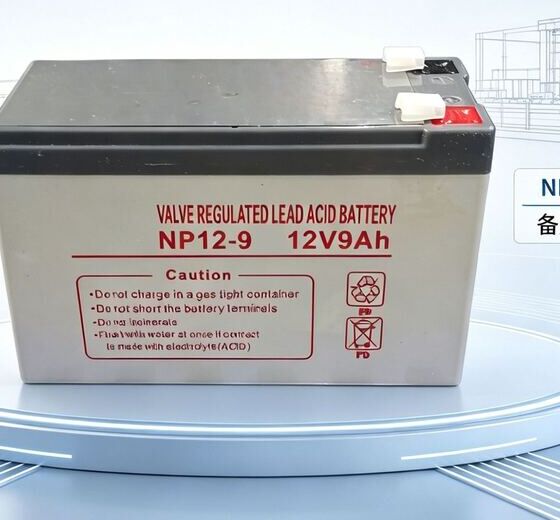
แบตเตอรี่ UPS ทดแทน 12V 9Ah เทียบเท่า APC RBC17
SKU: PF-UPSB-RBC17 · OEM equivalent: RBC17
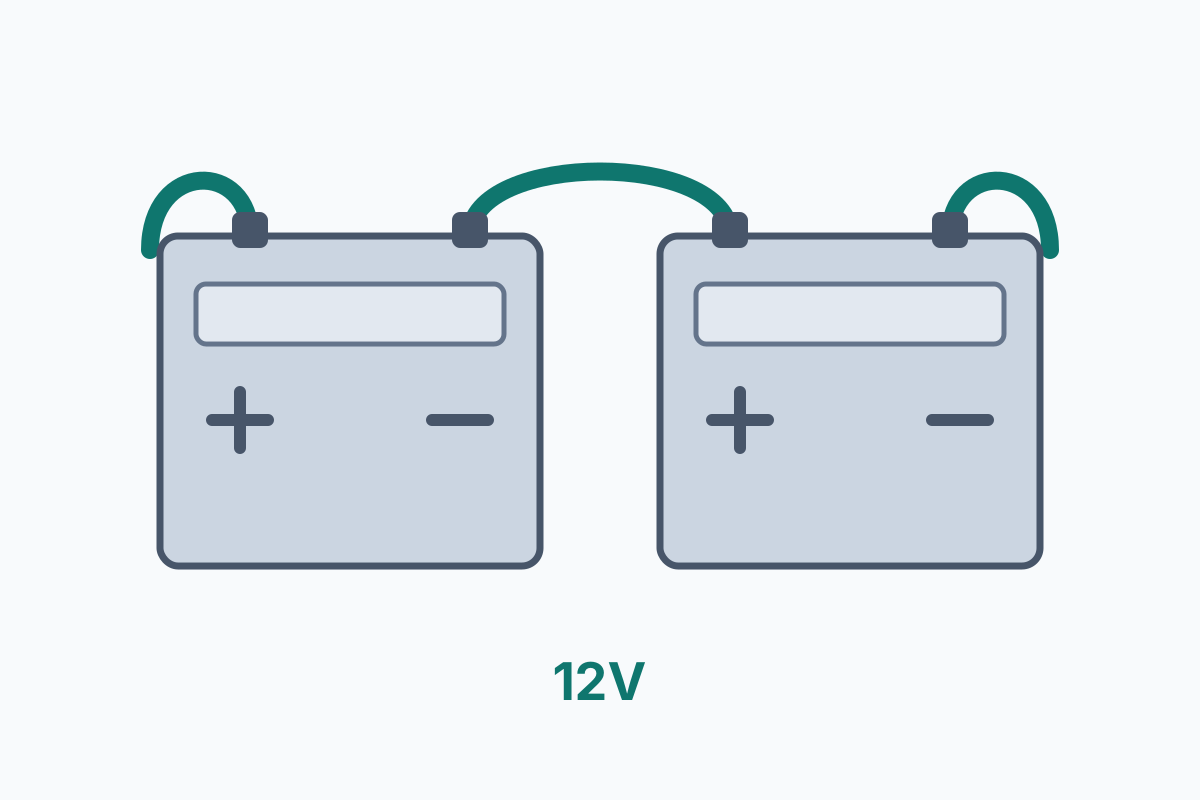
แบตเตอรี่ UPS ทดแทน 24V 17Ah (12V 17Ah x2 ต่ออนุกรม) เทียบเท่า APC RBC7
SKU: PF-UPSB-RBC7 · OEM equivalent: RBC7